

Exhibiting at a Trade Show? Know the Stats!
Exhibiting at a Trade Show, know the Stats. Be sure to be fully aware of exhibition stats. 81% of attendees 64% Of attendees Potential new customers? All explained below.
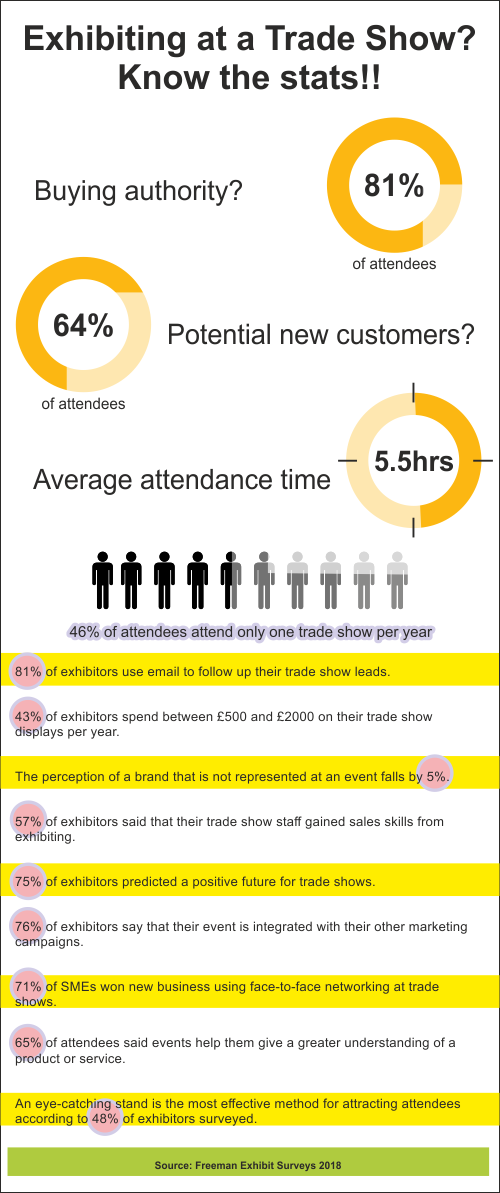
Exhibiting at a Trade Show? Know the stats!! Buying authority? 81% of attendees 64% Of attendees Potential new customers? — 5.5hrs Average attendance time Of attendees attend only one trade show per year 81" of exhibitors use email to follow up their trade show leads. 43% of exhibitors spend between €500 and E2000 on their trade show displays per year. The perception of a brand that is not represented at an event falls by". of exhibitors said that their trade show staff gained sales skills from exhibiting. of exhibitors predicted a positive future for trade shows. 6 Dof exhibitors say that their event is integrated with their other marketing campaigns. 71% of SMEs won new business using face-to-face networking at trade Shows. 65% of attendees said events help them give a greater understanding of a product or service. An eye-catching stand is the most effective method for attracting attendees according to 4804 of exhibitors surveyed.
Source: Freeman Exhibit Surveys 2018
The most effective products for exhibtions are free standing display walls and pull up banners.